Best Mechanical Keyboards of 2026 (Gaming and Productivity)
Updated 2026 mechanical keyboard buying guide. Best models for competitive gaming, daily use, and programmers — linear, tactile, and clicky switches compared.
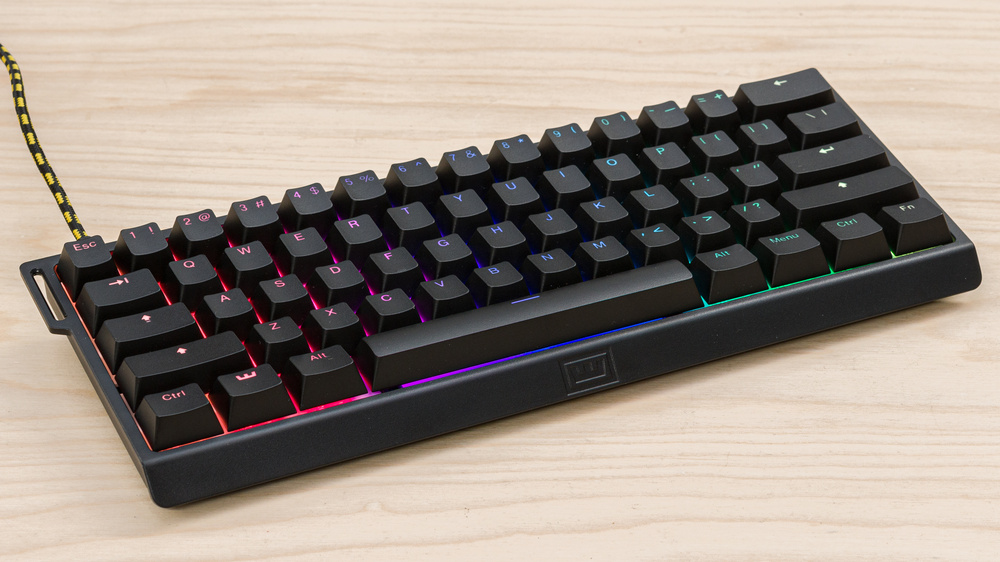
Mechanical keyboards improved significantly in 2025–2026: quieter switches, better dampening, triple connectivity (USB + Bluetooth + 2.4GHz wireless), and compact layouts. This guide covers the best options by use case and budget.
Which Switches Should You Choose?
| Type | Feel | Noise | Best For |
|---|---|---|---|
| Linear (Red, Speed, Yellow) | Smooth, no tactile bump | Low-medium | Competitive gaming, fast typing |
| Tactile (Brown, Clear, Topre) | Soft bump at actuation | Medium | Work, programming, mixed use |
| Clicky (Blue, Green) | Bump + audible click | High | Those who enjoy audible feedback |
For gaming: linear switches. For office work or programming: silent tactile switches.
1. Keychron Q1 Pro — Best Mechanical Keyboard of 2026
The Q1 Pro is a 75% keyboard with triple connectivity, aluminum chassis, pre-lubed Keychron K Pro switches, and build quality that rivals $300+ custom keyboards. The difference from the non-Pro version is Bluetooth and 2.4GHz wireless support.
Best for: Users who want premium quality without building a custom keyboard.
Keychron Q1 Pro
2. Logitech G Pro X TKL — The Competitive Standard
The G Pro X TKL is used by many professional esports players. No numpad (TKL = tenkeyless), hot-swappable GX switches, full anti-ghosting, and solid construction. Available with linear Red, tactile Blue, and clicky Brown Logitech GX switches.
Best for: Competitive gaming, small desks.
Logitech G Pro X TKL Wireless
3. Keychron K2 V2 — Best Under $100
For those who don't want to spend $150+ but still want real quality. The K2 is a compact 75% with plastic frame, Gateron switches (among the best in the market), and Bluetooth. Ideal for a first mechanical keyboard purchase.
Keychron K2 V2
4. SteelSeries Apex Pro TKL Wireless — Adjustable Switches
The Apex Pro features OmniPoint 2.0 switches with per-key adjustable actuation (0.1mm to 4mm). You can configure WASD for ultra-fast actuation and the rest at normal sensitivity. It's a real advantage in competitive shooters. Includes OLED display and wireless connectivity.
SteelSeries Apex Pro TKL Wireless
5. NuPhy Air75 V2 — Thinnest and Most Portable
If you work in multiple locations or want something more discreet, the Air75 V2 has an ultra-low profile similar to Apple's Magic Keyboard but with real mechanical switches (Gateron Low Profile). Bluetooth 5.0 multi-device and long battery life.
NuPhy Air75 V2
Quick Comparison
| Keyboard | Layout | Price | Best For |
|---|---|---|---|
| Keychron Q1 Pro | 75% | ~$199 | Premium quality, daily use |
| Logitech G Pro X TKL | TKL | ~$129 | Competitive gaming |
| Keychron K2 V2 | 75% | ~$89 | First purchase, budget |
| SteelSeries Apex Pro TKL | TKL | ~$179 | Esports, adjustable switches |
| NuPhy Air75 V2 | 75% | ~$119 | Portability, low-profile |
Pro tip: If you don't know which switches to choose, get a switch tester on Amazon — there are kits for $10–15 with 30+ types. A week of testing is worth more than any written description.
Frequently asked questions
What does "hot-swappable" actually mean, and do I need it? A hot-swap PCB has sockets instead of soldered switch pins, so you can pull switches out and replace them with a switch puller — no soldering iron required. It's not essential, but it means you can try different switch types over time or replace a single failed switch instead of the whole board, which is why most enthusiast keyboards now include it.
How long do mechanical switches actually last? Manufacturers typically rate switches for 50–100 million keystrokes per key — at even a heavy 10,000 keystrokes a day, that's well over a decade of daily use before wear becomes a practical issue. In practice, keycaps and stabilizers tend to show wear before the switches themselves do.
Linear vs tactile — which should a beginner pick? If you're not sure, tactile (like Brown switches) is the safer first choice — it works reasonably well for both typing and light gaming. Linear switches are a bigger upgrade for competitive gaming specifically, but some people find them mushier for everyday typing until they adjust.
Does switch lubing actually make a noticeable difference? Yes, more than most people expect — lubed switches (like the pre-lubed Keychron K Pro switches) feel noticeably smoother and quieter than unlubed stock switches, reducing the scratchy friction you feel on the down and up stroke. It's one of the most impactful low-cost mods in the custom keyboard hobby.